Local AP payment-risk preflight for finance teams
Find duplicate-payment risks before release, with a visible AP exception queue.
OpsProof turns a payment-run CSV into buyer-visible HOLD / REVIEW / CLEAR output, plus an Evidence Passport covering source profile, field confidence, and ready or blocked rules. Start with the demo sample or redacted rows: no upload, no ERP login, no bank connection, and no Python setup.
Recommended buyer path after the visible proof
- Inspect the public sample output
- Use the free proof pack
- Use USD149 setup only if mapping is unclear
1. Load demo sample
2. Inspect local scan
3. Save report + passport
Start with demo, sample, redacted, or header-only rows. Keep real AP, bank, supplier, tax, payroll, and customer data out of the first pass.
Buy after proof: inspect the sample output, export-fit Evidence Passport, and first-run boundary before choosing free, USD49, or USD149.
HOLD
REVIEW
CLEAR
Sample result proof: 5 HOLD / 3 REVIEW / 4 CLEAR
Output files: browser-readable HTML report and CSV queue. No Python needed for this path.
Local-first start: demo sample -> visible queue -> Evidence Passport -> USD49 bundle -> USD149 setup only if mapping needs help.
See paid paths after the sample proof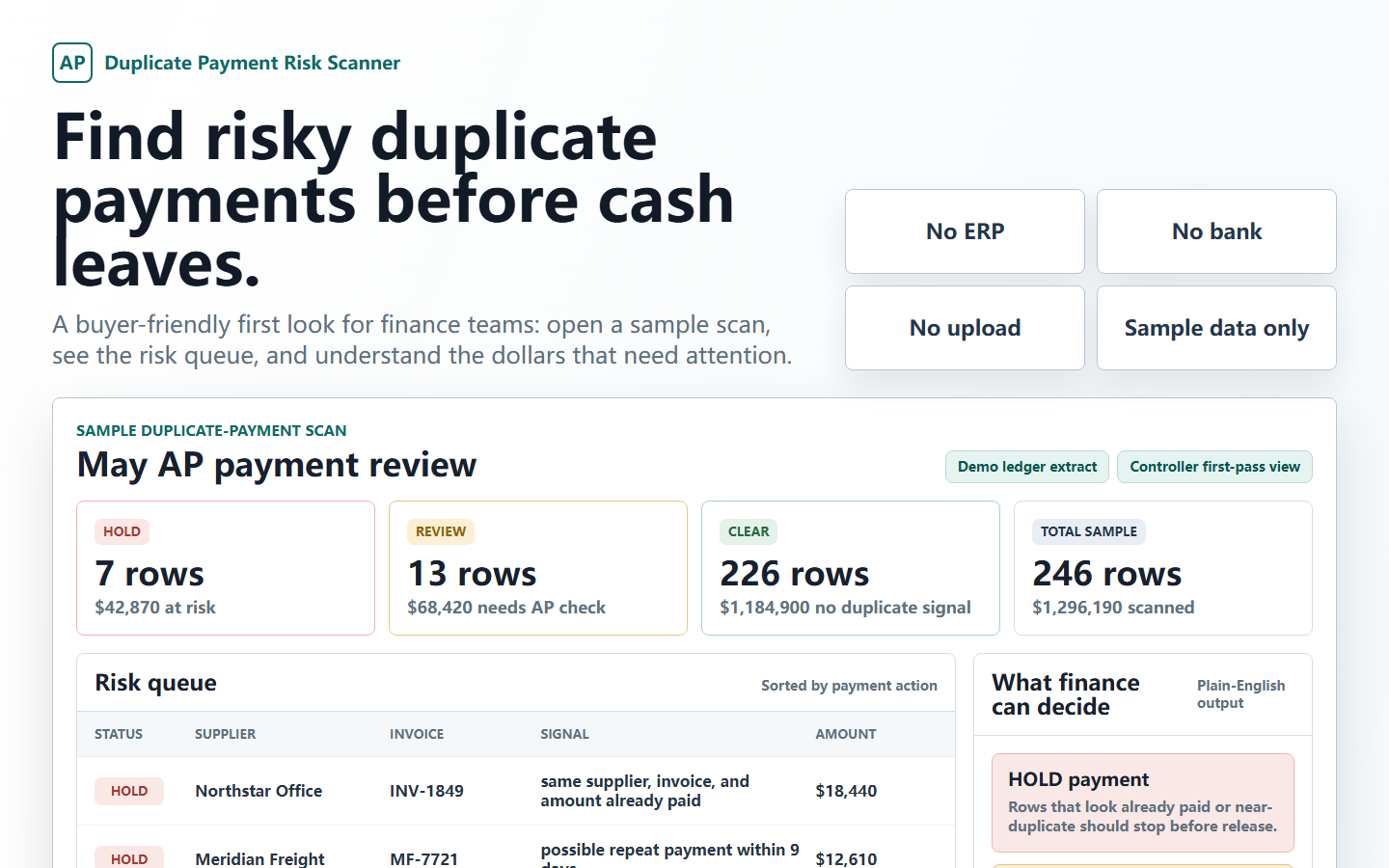
Local first-run boundary
current_payment_run.csv + optional paid_history.csv + vendor_aliases.csv are processed in the browser. Use demo or redacted rows first.
Run
HOLD
Pause before release
Already-paid or duplicate-like evidence appears in the current run or paid history.
REVIEW
Route to AP
Same vendor and amount, weak invoice reference, or alias match needs confirmation.
CLEAR
Continue normal path
No starter duplicate-payment signal appears on the sample row.
Output
duplicate_payment_risk_report.html
Downloadable HTML report, CSV queue, and Evidence Passport for AP review evidence and source inspection.
| Status | Signal | Buyer next step |
|---|---|---|
| HOLD | Same vendor, invoice, amount, and currency already paid | Check paid history before release. |
| REVIEW | Same vendor and amount with invoice-number variation | Confirm invoice and vendor statement. |
| CLEAR | No starter duplicate-payment signal | Continue through normal approval controls. |
Visible outputs first
Inspect screenshots, result rows, and report files before checkout.
OpsProof should feel inspectable in the first minute: start with sample, demo, redacted, or header-only payment-run data and see why duplicate-like rows become HOLD or REVIEW before committing to deeper files.
Payment run
Paid history
Vendor aliases
HOLD / REVIEW / CLEAR
- Exact duplicate and invoice-number variation evidence is explained row by row.
- Vendor alias groups are visible as review questions, not hidden automated merges.
- The Evidence Passport shows source profile, field confidence, and which rules are ready or blocked.
- The first buyer path stays no upload, no Python, and local-first.
Start with the 3-minute no-Python diagnostic, not a generic AP automation pitch.
Most AP teams cannot send real payment data to a new tool on day one. This first path is built for evidence: load demo samples or redacted CSVs in the browser, see what the queue would hold, download the report, and only then decide whether a paid kit or setup help makes sense.
Load CSVs locally
Use bundled demo samples, drag in CSVs, paste rows, or start with headers only. Current payment run is required; paid history and aliases improve the diagnostic. No Python setup is needed for this first path.
Generate the queue
The scanner maps common AP fields, explains why rows become HOLD, REVIEW, or CLEAR, and exports an Evidence Passport that shows rule readiness before setup.
Download and decide
Download the HTML or CSV report, then follow the buyer path: free proof pack, USD49 self-serve bundle, or USD149 setup help if column mapping is unclear.
What buyers can inspect before paying
The page is not selling a generic template library. It is selling confidence that duplicate-payment review logic can be tested locally before a production rollout.
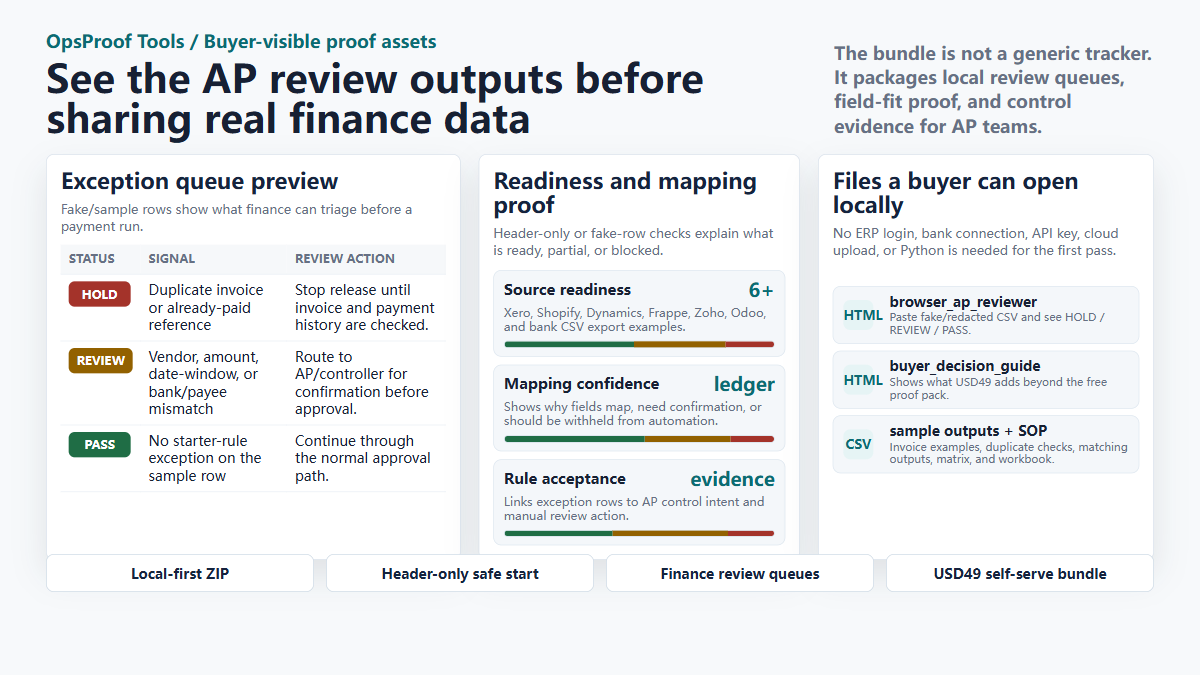
Browser sample queue
Try the public demo or open the local file, paste demo or redacted CSV, and inspect duplicate-payment HOLD / REVIEW / CLEAR logic without uploading to a cloud service.
Open public scanner demo View public sample reportFiles needed
Current payment-run CSV, paid-invoice history, and optional vendor alias or vendor master export are enough for the first review shape.
Review evidence
Review sample outputs tied to duplicate-payment signals, then use the Evidence Passport to see whether the export has enough fields for a first-run review.
Recommended buyer path: Free -> USD49 -> USD149
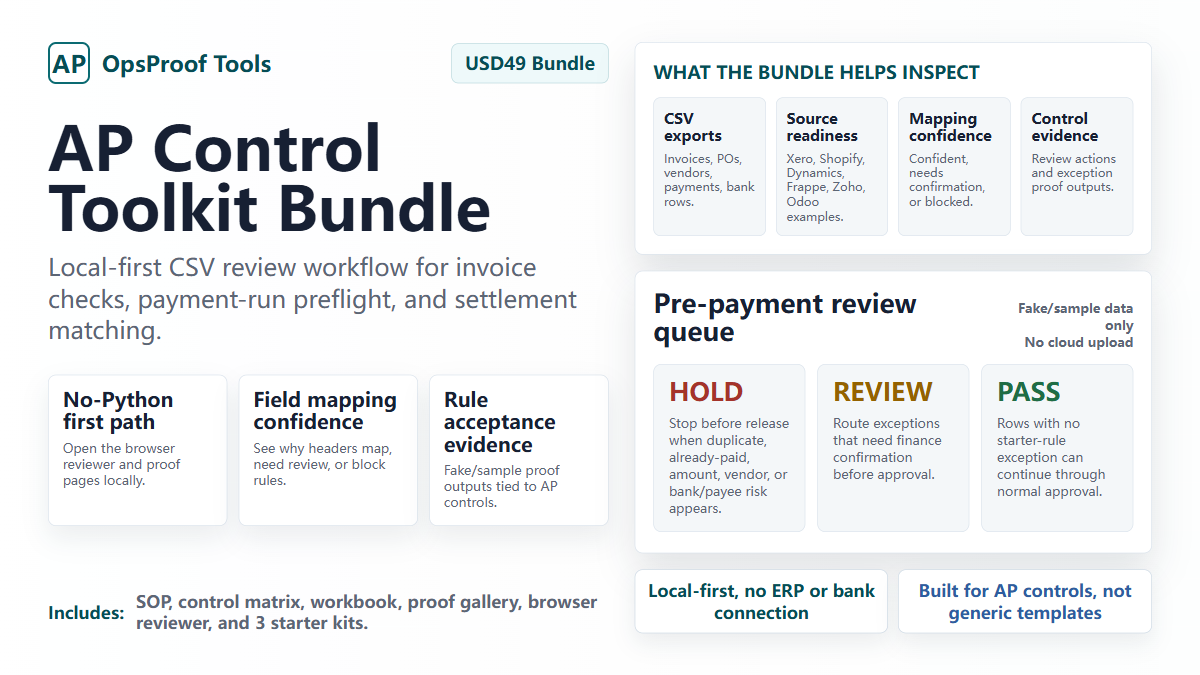
Try the sample queue and free proof pack first. Use the USD49 bundle when you want self-serve SOP, workbook, matrix, and proof assets. Book USD149 setup only if your export columns do not map cleanly.
A purchase path for buyers who need proof before payment
No real AP files are collected on this site. Payhip handles download delivery and checkout; this page explains what to inspect before choosing the free pack, USD49 self-serve bundle, or USD149 setup service.
Sample queue proof
Use this when you want sample duplicate-payment outputs, screenshots, and the browser-first starting point before buying anything.
This helps decide whether the hold queue model fits your AP process before you buy the USD49 bundle or USD149 setup help.
- Public sample hold queue
- No-upload readiness proof
- Evidence Passport preview
- Open-first browser preview, no Python
- Buyer decision guide
AP Control Evidence Bundle
Use this when you want the broader self-serve file set after the scanner shape makes sense: SOP, workbook, control matrix, proof outputs, and local browser tools.
This is the self-serve operating layer after the free proof pack, not a consulting service.
- Duplicate scanner plus broader proof outputs
- Evidence Passport for export-fit proof
- SOP, workbook, and control matrix
- Local browser-first review pages
- No-Python buyer workflow first
First-run setup service
Use this when mapping your exports correctly is more valuable than doing the first pass yourself. Target turnaround is 3 business days after usable intake files.
Partial, blocked, or unsure after the free check? Use setup for duplicate-payment column mapping and first-run readiness help.
- Setup service, not ZIP-only
- Payment-run export-fit review
- Column mapping guidance
- First-run readiness note plus one clarification pass
Who this is for
Good fit
AP, finance ops, founders, controllers, bookkeepers, or consultants who already export CSV or Excel files and want a clearer duplicate-payment review queue before release.
Not a fit
Teams looking for direct ERP writeback, automatic bank access, OCR invoice capture, live fraud guarantees, or a replacement for approvals and accounting controls.
Best first action
Try the sample hold queue, open the free proof pack, and compare the queue language against your current payment-run review process.
Buying questions
Does this site collect finance data?
No. There is no upload form or external submission on this page. The proof path starts with files that open locally in your browser.
Why use Payhip for checkout?
Payhip keeps payment, receipt, VAT/tax handling where applicable, and file delivery outside this static site. The marketing site can stay simple and deployable on Cloudflare Pages.
Do buyers need Python?
No for the first buyer-facing path. Try the public browser demo, or open the downloaded browser reviewer and proof pages locally. Optional scripts are an advanced path for teams that want more control later.
What should I try first?
Start with the sample hold queue, Evidence Passport, and free proof pack. If the queue shape matches your AP process but columns are unclear, use USD149 setup. Use the USD49 bundle only when you want self-serve SOP, workbook, matrix, and proof assets.
Does it guarantee every duplicate payment is found?
No. It is a pre-payment review assistant and evidence queue, not a fraud guarantee, audit opinion, or replacement for AP approval controls.
What files are needed?
The strongest first run uses a current payment-run export, paid-invoice history, and optional vendor alias or vendor master export. For first contact, use sample, demo, redacted, or header-only files.